The published Lovable app still loads, but a previously working checkout, sign-in, or save action now fails in the browser Network panel. If the request returns 401, 403, 5xx, or even 2xx without the expected result, do not republish to see whether the symptom clears. Preserve the request, response, timestamp, published Lovable version, last successful result, and expected database or provider object first.
Whether the browser sent a request, which HTTP status it returned, and whether the expected record or provider object exists determine the next check. No request points to browser code or configuration; 401 or 403 points to Auth and RLS records; 5xx or a timeout requires the matching Edge Function, database, or provider event; 2xx with the wrong result requires reconciliation against the final stored state. An alert identifies where to investigate; it does not establish the root cause or authorize a broad rewrite.
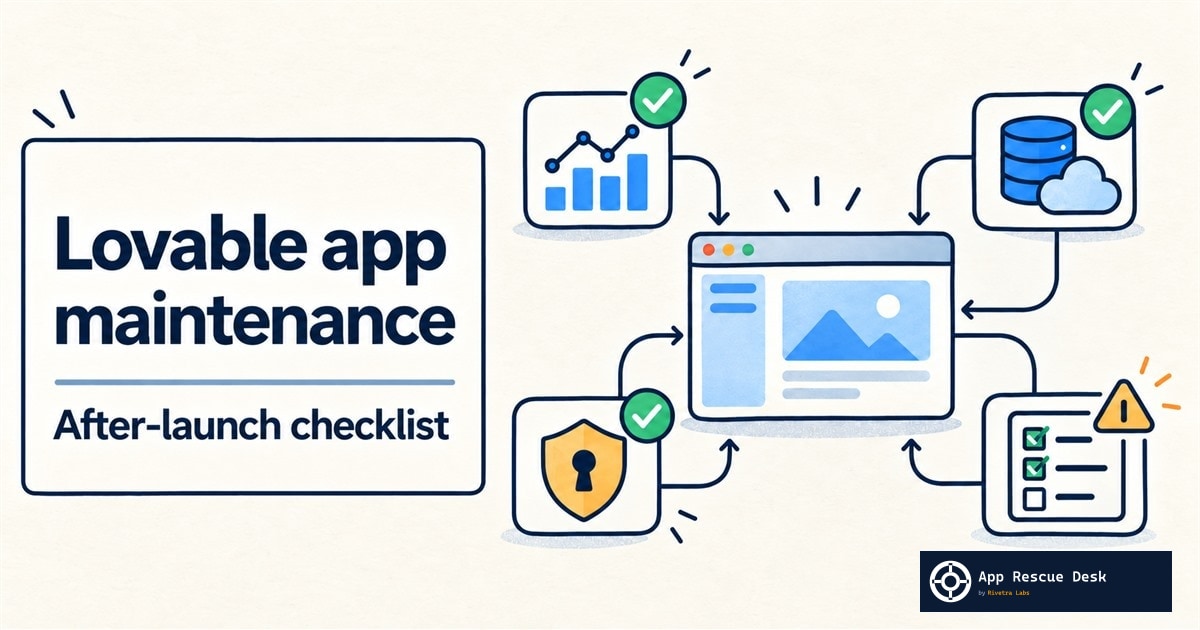
Use the calendar below as a starting point. Increase the frequency for flows that control customer access, payments, or important data. Use fewer checks for inactive internal tools, but keep release and recovery checks.
Every platform claim below was checked against vendor documentation on 2026-10-16. App Rescue Desk is independent and is not affiliated with Lovable, Supabase, or Stripe.
TL;DR
- Run the same controlled production checks after every release: sign-in, one authorized read, one reversible write, and each revenue-critical flow.
- Review Supabase errors and Stripe webhook deliveries on a schedule. Do not wait for a generic user report.
- Record the Lovable version, Git commit, Supabase project, function names, domains, and secret names that define production.
- Verify backup coverage and recovery steps. A backup entry alone does not prove that every required object can be restored.
- Apply one reversible change only after the failed request and provider records identify the affected layer.
Establish the production baseline first
Maintenance cannot detect drift until you define the expected state. Create a short operations record without copying secret values into it.
| Record | Minimum detail | Why it matters |
|---|---|---|
| Published release | Lovable version, publication time, active Git branch, and commit | Connects a user report to the code users received |
| Runtime map | Production domain, Supabase project reference, Edge Function names, and external providers | Prevents investigation in the wrong project or account |
| Critical flows | Test account, exact action, expected HTTP result, and expected database or provider state | Turns the app works into repeatable checks |
| Configuration manifest | Variable names, OAuth redirect URLs, allowed origins, webhook endpoint IDs, and live/test mode | Exposes missing or mismatched settings without exposing values |
| Recovery record | Backup type, retention shown in the dashboard, storage coverage, recovery owner, and recovery procedure | Defines what can be recovered and who can approve it |
| Change log | Date, version, configuration change, operator, verification result, and rollback decision | Narrows the interval between the last success and first failure |
Lovable creates versions automatically and marks the version users currently see. Its version-history documentation also states that a revert restores project code and redeploys matching Edge Functions, but does not roll back database data. Treat a bookmarked release as a code reference, not a complete recovery point.
If Git sync is enabled, record its status as well as the repository URL. Lovable documents two-way GitHub synchronization and shows whether Lovable and GitHub are on the same commit. A connected repository is useful evidence, but it does not contain production data, provider configuration, or secret values.
If the application never received a complete handover check, run the production-readiness checks for a Lovable app before calling the baseline complete.
Use a maintenance calendar tied to risk
There is no universal error count that makes an app unhealthy. Record normal traffic and error patterns, then investigate changes that affect a critical flow or depart materially from that baseline.
| Cadence | Check | Evidence to retain |
|---|---|---|
| After every release | Run each critical flow on the published domain. | Lovable version, Git commit, timestamp, request status, and resulting record or provider object |
| After every release | Compare the production configuration manifest with the release requirements. | Variable names, project references, endpoint IDs, domains, and modes |
| Daily or next business day | Review outside-in availability and new user-facing errors. | Failed URL, browser request, first failure, and last success |
| Daily or next business day | Review failed or pending payment events when the app uses Stripe. | Stripe event ID, endpoint, delivery status, HTTP response, and related application record |
| Weekly | Review Supabase API, Auth, Storage, Postgres, and Edge Function errors. | Filtered log export or saved query with timestamps and status codes |
| Weekly | Review Lovable-to-repository sync status and unreviewed production changes. | Active branch, latest synchronized commit, and unexplained differences |
| Monthly | Review security findings, dependencies, access owners, and configuration drift. | Finding ID, affected version, decision, owner, and verification result |
| Monthly | Verify that the expected database backups exist. | Earliest and latest recovery points, last backup time, and documented exclusions |
| Quarterly | Rehearse the recovery procedure in a separate environment when policy and tooling allow it. | Restore steps, elapsed stages, validation results, and unresolved gaps |
Lovable now offers Project monitoring as a beta feature on eligible workspaces. It can check code and recent visitor errors on a daily or weekly schedule and can notify the project owner. Its documentation also says that it can miss issues or report false positives. Use its findings as investigation leads, and confirm them with the browser and provider records below.
Inspect the request that represents the failure
Start with one failed production action. Open the browser Network panel and record:
- Record the action and production URL.
- Record the timestamp and timezone.
- Select the failed request.
- Record its method, path, and status.
- Save the redacted response body.
- Record any request or correlation ID.
- Record the published version and commit.
- Record the last successful time.
Remove authorization headers, cookies, API keys, personal data, and payment details before sharing the record.
The result separates several failure classes. If no request leaves the browser, inspect the Console, loaded files, client configuration, and route code. If a request leaves but returns 401 or 403, inspect the session, token, RLS decision, and provider configuration. A 404 supports a route, function-name, or deployment mismatch. A 429 supports a rate or usage limit. A 5xx requires the matching server, function, database, or provider record.
Do not apply the familiar fix before making that distinction. Disabling JWT verification does not safely resolve every 401. Expanding an RLS policy does not safely resolve every 403. Adding permissive CORS headers does not resolve a recorded function exception.
Review Supabase by service and timestamp
Supabase Logs in Studio can filter events by time range, log type, status, method, path, event message, and supported user identifiers. Select the service involved in the failed flow: API Gateway, Auth, Storage, PostgREST, Postgres, Realtime, or Edge Function. An empty result does not prove that no event occurred until you check the time range, selected log types, and retention available to the project.
For an Edge Function, compare two records:
- Invocations: request and response data, status, and execution duration.
- Logs: platform events, uncaught exceptions, and safe application messages.
Supabase explains this separation in its Edge Function logging documentation. Match both records to the browser timestamp and function name. If Lovable displays only Edge Function returned a non-2xx status code, use the status-specific Edge Function investigation instead of redeploying the function from a prompt.
For sign-in or password-reset failures, review Supabase Auth audit logs. They record events such as sign-ups, sign-ins, verification attempts, password resets, token refreshes, and sign-outs. A successful Auth event does not prove that the subsequent profile query or RLS-protected request succeeded, so continue through the complete flow.
Review Supabase Advisors for health, security, and performance findings. Advisors are deterministic checks, but a finding can describe an intentional design. Compare the named table, policy, index, or error rate with the application requirement before changing it.
Reconcile Stripe deliveries with application state
Open Stripe Workbench, select the live webhook endpoint, and inspect Event deliveries. Stripe’s webhook documentation shows Delivered, Pending, and Failed states together with each attempt’s HTTP status and any scheduled retry. Stripe retries live deliveries for up to three days with exponential backoff.
For each failed customer outcome, retain:
- the Stripe event ID and type;
- live or sandbox mode;
- destination endpoint ID and URL;
- delivery status and HTTP response;
- PaymentIntent, Checkout Session, invoice, or subscription ID;
- the corresponding application record;
- the Edge Function invocation, when applicable.
A 2xx delivery proves that the endpoint accepted the event. It does not prove that the handler wrote the entitlement, sent the email, or committed every database operation. Compare the event ID with the application’s processed-event record and final customer state.
Do not resend a live event until you know whether the original attempt produced a side effect. Stripe does not guarantee event ordering and recommends tracking event IDs for duplicate deliveries. A manual resend can also coexist with an automatic retry. The handler must be able to recognize work it already completed.
Detect configuration drift without exposing secrets
Configuration drift is confirmed when the deployed release expects a different name, project, account, mode, URL, or permission than production provides. Compare identifiers and names before comparing secret values.
Check these boundaries:
- the browser’s Supabase URL and publishable key belong to the intended production project;
- Edge Function secret names match the names read by deployed code;
- Stripe keys and webhook endpoints use the intended live or sandbox account;
- OAuth providers contain the published callback and redirect URLs;
- allowed origins include the current production domain;
- the active Git branch and Lovable version match the release record;
- scheduled jobs call the current function URL;
- DNS and custom-domain records still point to the intended deployment.
Supabase loads local and production Edge Function secrets from different sources. Its environment-variable documentation provides supabase secrets list for remote secret names and states that production functions can read a newly saved secret without redeployment. Record only whether the required name exists and when it changed. Do not print or copy the value into logs, tickets, screenshots, or maintenance documents.
Follow the evidence decision tree
A critical production flow fails
|
+-- No browser request was sent
|   +-- Inspect Console errors, loaded files, client configuration, and route code.
|
+-- A browser request was sent
    |
    +-- 401 or 403
    |   +-- Match Auth logs, session state, JWT handling, and the RLS decision.
    |
    +-- 404
    |   +-- Compare the requested route or function with the deployed release.
    |
    +-- 429
    |   +-- Identify the limiting service and the request pattern before retrying.
    |
    +-- 5xx or timeout
    |   +-- Match the request to the Edge Function, database, and external-provider records.
    |
    +-- 2xx but the business result is wrong
        +-- Reconcile the provider event, processed-event record, and final database state.
If the evidence stops at two supported causes, do not combine two fixes. Add the missing observation. For example, a browser 500 plus a failed Stripe delivery still does not establish whether the function failed before or after creating a payment. The Stripe object, event ID, function invocation, and database record settle that sequence.
Keep maintenance changes narrow and recoverable
Avoid changes that remove evidence or expand access:
- Do not republish unrelated code to see whether the error disappears.
- Do not revert Lovable code without checking later schema and data changes.
- Do not rotate every credential when one secret name is missing.
- Do not disable authentication or RLS to clear an authorization error.
- Do not retry a live payment until you establish the provider state.
- Do not restore a backup over production as a recovery test.
- Do not accept an automated security fix without reviewing its diff and testing the affected flow.
Lovable’s Security view runs a Quick scan automatically on publish. Its broader Deep scan is manual and should be rerun after significant code, database, or dependency changes. A clean scan means that scan found no issue in that version; it does not prove that the application is secure or that its critical flows work.
Supabase documents automatic daily database backups for supported paid plans and optional point-in-time recovery. Its backup documentation also states that database backups do not contain Storage objects, only their metadata. Verify the coverage shown for the actual project, and maintain a separate recovery plan for required files.
Make one reversible change after the evidence identifies one boundary. Repeat the original controlled test. Record the new request, provider event, and final state. Stop if the change can affect existing customer data, completed payments, multiple production accounts, or several services at once.
Choose the tool that owns the evidence
| Need | Appropriate tool or service |
|---|---|
| Outside-in availability | An external uptime or synthetic monitor using a non-destructive endpoint |
| Lovable code and recent visitor-error review | Lovable Project monitoring, followed by manual confirmation |
| API, Auth, Storage, database, or function failure | Supabase Logs, Reports, Advisors, and function Invocations |
| Payment-event delivery | Stripe Workbench Event deliveries |
| Release and code drift | Lovable History plus repository sync status |
| Recovery readiness | Supabase Backups plus a separate Storage recovery procedure |
| One production regression crossing several systems | A focused production investigation with an agreed completion test |
An external monitor does not need to imitate every user. Monitor a stable public endpoint and one safe critical path. Use provider records for diagnosis rather than inventing another monitoring layer that cannot see Auth, database, or payment state.
Frequently asked questions
Does a Lovable app need maintenance after launch?
Yes. A published app can drift even when nobody intentionally changes its main interface. Lovable releases, Supabase policies and secrets, OAuth settings, domains, external APIs, Stripe webhooks, traffic patterns, and customer data all change independently. Maintenance verifies that the current published flow still reaches the expected final state.
How often should I run the Lovable app maintenance checklist?
Run the release checks after every publish. Review availability and new customer-facing failures daily or on the next business day for an active production app, then schedule deeper configuration, access, backup, and recovery reviews weekly or monthly according to risk. Payment, authentication, and important data flows justify more frequent checks than an inactive internal tool.
What should I monitor first in a Lovable app?
Start with the published customer flows that control access, revenue, or important data. For each flow, retain the browser request, HTTP status, timestamp, and the expected database or provider object. A page-loading check alone will not detect a checkout that returns 2xx but fails to create an entitlement.
Are Lovable version history and GitHub sync enough for backups?
No. They provide code and release evidence, but they do not constitute a complete production recovery point. A Lovable code revert does not roll back database data, and a connected repository does not contain provider configuration, secret values, or production records. Supabase database backups also exclude the Storage objects themselves, so required files need a separate recovery procedure.
Should I republish a Lovable app when a production flow suddenly fails?
Not as the first response. Save the failed request, response, timestamp, active Lovable version, Git commit, and matching provider record before changing the release. Republish only when those records identify a specific code or configuration change and you have a controlled completion test.
What maintenance evidence is safe to record?
Record identifiers and outcomes: release versions, commit hashes, project references, function and variable names, endpoint IDs, timestamps, HTTP statuses, provider event IDs, and verification results. Do not put passwords, tokens, cookies, API keys, full secret values, card data, or customer exports into maintenance notes, logs, screenshots, or support messages.
When the checklist stops being routine maintenance
This checklist can identify the failing layer and preserve the records needed for diagnosis. It cannot prove a root cause when the browser request, function invocation, provider event, and database state disagree or are incomplete.
Stop self-service changes when real payments may need reconciliation, access controls may have exposed another user’s data, a rollback conflicts with later migrations, or several production services changed together. This section defines when routine maintenance has reached its limit; it does not identify the cause or authorize a production change. The Lovable app fix service describes the boundaries of a focused diagnosis and one agreed repair, with scope and price agreed before anything in production changes.