Your published Lovable app accepts a user’s login, then sends that user back to the login screen while they are still working. The same account may also lose access in another tab or device. This article covers that session-loss pattern, not a login form that never worked.
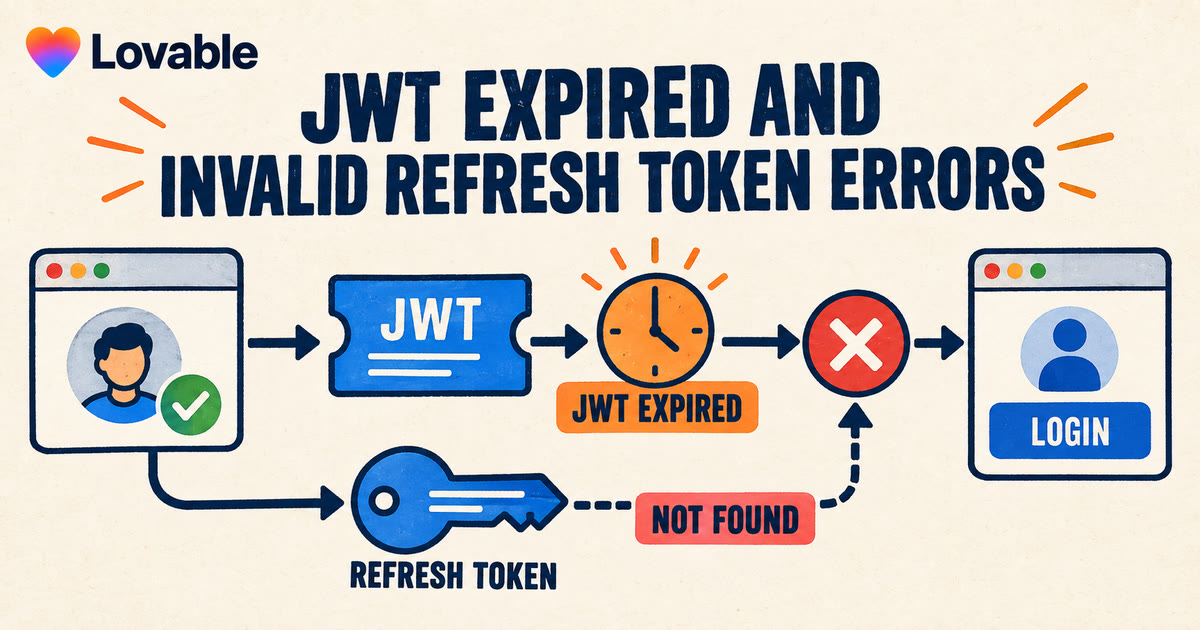
Open the browser Console or authentication logs for the failed attempt. Look for JWT expired, Invalid Refresh Token: Refresh Token Not Found, refresh_token_not_found, or Auth session missing. These messages separate a routine access-token expiry from a session that the app cannot refresh.
An expired access token is normal. The auth client should exchange the refresh token for a new access token without interrupting the user. Repeated logouts mean that exchange failed, the app lost the session, or another action revoked it. This guide shows how to distinguish those cases, test one safe correction, and decide when the problem needs a production repair.
Every platform claim below was checked against Lovable and Supabase vendor documentation on 2026-10-14. App Rescue Desk is independent and is not affiliated with Lovable or Supabase.
Does “JWT expired” mean your Lovable authentication is broken?
Not by itself. Supabase sessions use two tokens:
- a short-lived access token in JWT format;
- a refresh token used to obtain the next access token.
Supabase states that access tokens commonly last between five minutes and one hour. Its client libraries normally refresh the session before the access token expires (Supabase user sessions). A recorded JWT expired response can therefore be one failed request during a successful refresh.
Treat it as a live authentication fault when one or more of these conditions apply:
- the app sends an active user back to login;
- protected requests continue to return
401after the client attempts a refresh; - the same user loses sessions in other tabs or devices;
- server-rendered pages reject a session that still appears active in the browser;
- the error begins for several users after an auth, domain or deployment change.
Do not lengthen the JWT lifetime before you know which condition failed. A longer access-token lifetime delays the next refresh. It does not restore a missing or revoked refresh token.
What do “Invalid Refresh Token” and refresh_token_not_found mean?
Supabase publishes stable Auth error codes and recommends using the code rather than matching message text (Supabase Auth error codes). Record both when the client exposes them.
| Evidence | What it establishes | What to check next |
|---|---|---|
JWT expired |
The access token is past its expiry time | Whether the client refreshed the session |
refresh_token_not_found |
Auth cannot find the session that contains that refresh token | Sign-out history, session settings and project identity |
refresh_token_already_used |
A revoked token was reused outside the allowed reuse interval | Concurrent refreshes and stale client or server storage |
session_not_found |
The session no longer exists | Sign-out, session deletion and user security actions |
session_expired |
A configured inactivity or maximum-lifetime rule ended the session | Auth session settings and the last successful refresh |
Auth session missing |
The client has no usable session in its current storage context | Cookie or browser storage, domain and client initialization |
The message identifies the failed stage. It does not identify which line of application code caused it.
How do you capture a failed session refresh in a published Lovable app?
Use a test account that you control. Do not test session revocation with a customer account.
- Open the published app in a private browser window.
- Sign in with the test account.
- Open the Network and Console panels.
- Enable Preserve log in Network.
- Repeat the action that normally precedes the logout.
- Record the first failed auth request.
- Record its timestamp, status, error code and page URL.
- Remove cookies, authorization headers and tokens from any saved capture.
For Lovable Cloud, open More → Cloud → Logs and select the authentication logs. Lovable documents that its backend logs include sign-in events and errors and can be filtered by time and status (Lovable logs). For an app connected to your own Supabase project, use the Auth logs in that project.
Match the browser attempt to the auth log by timestamp. Do not paste an access token, refresh token or complete cookie into Lovable chat, an issue tracker or a bug-fix request.
Can global sign-out cause “Invalid Refresh Token” on another device?
Yes. This is one concrete cause you can test without changing session lifetimes or signing keys.
In Supabase JavaScript, signOut() uses the global scope by default. Global sign-out revokes all refresh tokens for that user, including sessions in other browsers and devices. Those sessions can later fail with AuthApiError: Invalid Refresh Token: Refresh Token Not Found (Supabase sign-out scopes).
If the product requirement is “sign out only this device,” make the scope explicit:
const { error } = await supabase.auth.signOut({ scope: "local" })

if (error) {
  // Show a bounded error state. Do not report success yet.
}
Verify the behavior with two sessions for the same test account:
- Sign in on browser A.
- Sign in on browser B.
- Sign out on browser A.
- Trigger the normal session-refresh path on browser B.
- Confirm that browser B receives a new token pair and remains signed in.
- Confirm the original logout still completes on browser A.
A page reload is not always enough for step 4. Supabase states that a revoked access token remains valid until its encoded expiry time. Run the application’s existing refresh path or wait for the next scheduled refresh; do not shorten the global JWT lifetime for this test.
This change is correct only when the application intends to preserve the user’s other sessions. An account-security action such as “sign out everywhere” should retain global scope.
The test also has a limit: if browser B still fails, it does not prove that scope is irrelevant. Another handler, server action or security workflow can revoke the same session.
Why does a Lovable session work in the browser but fail on the server?
A Lovable app can have authentication code in the browser and in server-side routes or functions. Both sides must use the current session state.
Supabase’s server-side auth guidance stores access and refresh tokens in cookies so the browser and server can share them. It identifies stale refresh tokens as a cause of server-side Invalid Refresh Token errors. It also warns that a global sign-out can revoke the token still held by another tab, device or server-rendered request (Supabase SSR auth guide).
Check these boundaries:
- Does the browser write the new token pair after a refresh?
- Does the response send the updated cookie to the published domain?
- Does the next server request read that cookie?
- Do multiple auth clients refresh the same session at once?
- Does a cached response contain session-changing headers?
- Does the custom domain use the same secure cookie path and hostname as the protected route?
Do not solve this comparison by logging token values. Record whether a token or cookie exists, its expiry time, its domain and the last characters of a non-sensitive identifier when correlation is necessary.
If the problem begins only when the app switches between preview and a custom domain, also separate session storage from OAuth callbacks. A callback rejected during sign-in belongs to the Lovable redirect_uri_mismatch diagnosis. A user who signs in successfully and loses the session later belongs here.
Which Supabase session settings can log Lovable users out?
Supabase supports inactivity timeouts, maximum session lifetimes and a single-session-per-user setting. It evaluates these rules during refresh, not at the moment the setting changes. A user can therefore appear signed in until the next token refresh enforces the new rule.
Review the current Auth session settings when the incident starts after a configuration change. Compare them with the intended product behavior:
- An inactivity timeout should not be shorter than the application’s normal idle periods.
- A maximum lifetime should match the reauthentication policy users were told to expect.
- Single-session mode should be deliberate if users work across a phone and computer.
- JWT expiry should normally remain at the documented default rather than being shortened to force rapid testing.
Supabase warns that very short JWT expiry values increase refresh frequency and make clock differences harder to diagnose. Use a controlled test account instead of changing the global expiry setting to reproduce the incident.
Can the wrong Supabase project cause Lovable session errors?
A published build can point at a different Supabase project from the one you are inspecting. The browser then holds a session from one environment while the live requests reach another.
Inspect the hostname of the failed auth request. Compare its project reference with the intended production project. If the request returns 401 Invalid API key, use the Lovable Supabase URL-and-key comparison. That error occurs before normal session refresh can succeed.
Do not copy a refresh token between projects. Do not rotate a JWT signing key to test this theory. Correct the production configuration source, publish once and repeat the same test-account flow.
What should you avoid when fixing Lovable session errors?
- Do not delete Auth users so they can “start again.” Related profiles, memberships and entitlements can remain behind.
- Do not clear every user’s sessions before you know whether one handler caused the revocation.
- Do not rotate signing keys as a diagnostic step. That can invalidate more sessions.
- Do not increase JWT expiry to hide a failed refresh path.
- Do not disable authentication on a protected route.
- Do not retry a payment or account-write action merely because the UI returned to login.
A restored login does not establish that the interrupted workflow completed. If the logout occurred during checkout, onboarding, file upload or a permission change, verify that workflow separately.
When does a Lovable JWT or refresh-token error need technical help?
A local-scope correction is a reasonable self-fix when one logout handler caused the problem, the requirement is unambiguous and both test sessions pass afterward.
Escalate the repair when:
- several users or domains lose sessions;
- browser and server session state disagree;
- more than one client refreshes the same session;
- an auth change coincides with missing profile, membership or subscription state;
- the app cannot identify which deployment or Supabase project served the request;
- restoring login does not account for work interrupted during the incident.
The Lovable app fix service covers this kind of previously working production failure when the repair crosses browser storage, server-side auth and backend state.
Frequently asked questions
Does “JWT expired” always mean a published Lovable app has an authentication bug?
No. Access tokens are designed to expire. The bug begins when the app cannot refresh the session, continues to send the expired token, or sends the user to login during a refresh that should be silent.
Why does a Lovable app show “Invalid Refresh Token: Refresh Token Not Found” after logout on another device?
Supabase JavaScript uses global sign-out by default. It revokes the user’s refresh tokens across sessions. If the product should end only the current session, test an explicit local sign-out with a test account.
Will clearing browser storage fix a Lovable invalid refresh token error?
It can remove a stale local session and allow the user to sign in again. It does not explain why the token became stale, protect other users, or repair an interrupted workflow. Capture the failed request before clearing the test browser.
Why does a Lovable session work in the browser but fail during server-side rendering?
The browser can hold a newer token pair than the server receives in its cookie. Compare the refresh response, the cookie written for the published domain and the next server request. Also check whether another tab or global sign-out revoked the server’s token.
Can Lovable fix JWT expired and invalid refresh token errors itself?
Lovable can inspect its authentication logs and edit project code. Give it the exact error code, timestamp, affected URL and expected logout behavior. Ask it to explain the cause before changing code. A successful code change still needs the original live flow tested on the published domain.
What evidence should I send for a Lovable session failure?
Send the published URL, test-account action, timestamp and timezone, redacted request status and error code, affected device count, current session settings, deployment identifier and last known successful attempt. Do not send access tokens, refresh tokens, cookies, passwords or customer records.
Does your published Lovable app still send users back to login?
If the first failed refresh does not isolate one safe correction, bring the redacted request and matching auth log. Scope and price are agreed before anything in production changes.