A Lovable export can contain valid source code and still fail on your machine. The local Node version may differ, a required variable may be absent, or the app may still depend on a hosted service that was never part of the repository.
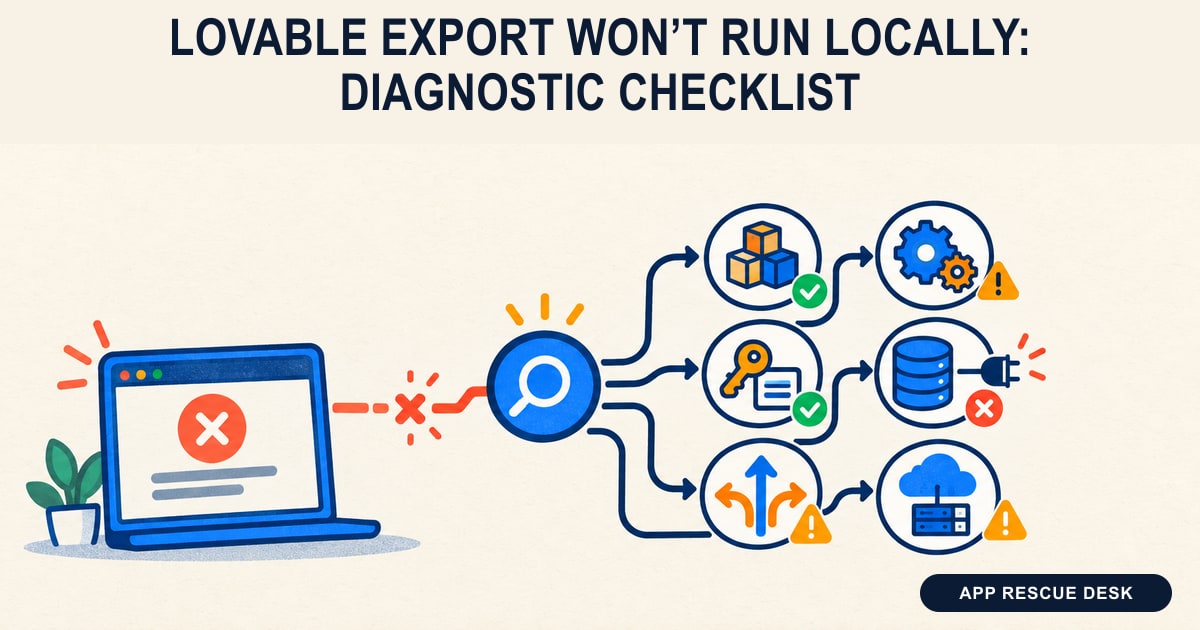
Locate the first failing boundary before changing anything. Separate dependency installation, the production build, server startup, browser execution, and remote requests. The earliest useful error usually identifies the layer that needs attention; later errors often describe the resulting damage.
Every platform claim below was checked against vendor documentation on 2026-10-16. App Rescue Desk is independent and is not affiliated with Lovable or Supabase.
TL;DR
- Follow the package manager, lockfile, runtime version, and scripts recorded in the repository.
- Run installation, build, and development as separate tests. Save the command, exit code, and first relevant error.
- If the interface opens, reproduce one failed action with the browser Console and Network panels recording.
- Classify each environment variable by runtime. A browser variable and an Edge Function secret do not belong in the same configuration file.
- Identify the backend hostname before any write, migration, seed, or reset. A local frontend can still target production data.
Name the first boundary that fails
“Won’t run” is too broad to diagnose. Record what happens first:
| Observed result | Evidence to capture | Layer to inspect |
|---|---|---|
| The dependency command exits nonzero | Resolution, engine, registry, authentication, or lockfile error | Toolchain and dependency graph |
| Installation succeeds, but the build fails | First compiler, import-resolution, type-check, or bundler error | Source and build configuration |
| The development process exits or opens no listener | Startup exception, exit code, or port-binding error | Script, port, and runtime |
| The document loads, but the page is blank | First client exception or failed JavaScript or CSS asset | Browser runtime |
| The interface renders, but one action fails | Related Console error or failed Auth, API, Storage, or Function request | Client configuration or remote service |
/ works, but a direct nested URL returns 404 |
Failed document request before the client router loads | Deployment routing |
| Preview works, but a connector or AI request fails locally | Failure limited to a Lovable-managed request | Managed runtime boundary |
Start at the repository root and record the current code and toolchain state:
git status --short
git branch --show-current
git rev-parse --short HEAD
node --version
npm --version
npm run
Do not assume npm. Check package.json, the README, engines, packageManager, runtime-version files, the lockfile, and committed package-manager configuration. Lovable’s Git sync documentation also directs local developers to the repository README and package.json for installation and startup commands.
If the repository contains package-lock.json, test the npm stages independently:
npm ci
npm run build
npm run dev
Use the documented equivalents for pnpm-lock.yaml, yarn.lock, or a Bun lockfile. When several lockfiles exist, stop and determine which package manager produced the known working dependency tree.
npm ci requires a lockfile and exits when package.json disagrees with package-lock.json. It does not rewrite either file, but it removes the existing node_modules directory before installing. Record uncommitted work first, and do not delete the lockfile or add --force to get past an unexplained failure.
Layer 1: Dependency installation
For a failed installation, keep four facts together: the exact command, its exit code, the first relevant error, and the package named by that error.
Compare the active Node and package-manager versions with the repository’s declared versions. Then classify the failure. A dependency-resolution conflict calls for a different investigation than an unavailable registry, expired registry credentials, a proxy error, or a certificate failure.
Record relevant registry and proxy hostnames, but never paste authentication tokens or an entire configuration file into a ticket. Check whether the failing commit changed package.json, the lockfile, or committed package-manager settings. Leave unrelated dependencies at their recorded versions while you diagnose the install.
Layer 2: Production build and local startup
When installation completes, run the build before starting the development server. A successful development process does not prove that the production build works.
For a failed build:
- Read the first error that explains the nonzero exit.
- Open the referenced source file and import path.
- Check the exported symbol and filename case.
- Confirm that the package appears in the correct dependency section and in the installed tree.
- Determine whether a missing input should be committed, generated by a documented script, or supplied during the build.
Do not create a placeholder file until the repository establishes how that input is produced. Later compiler errors may disappear once the first missing import, type, or generated artifact is corrected.
If the build passes but dev fails, note whether the process exits, stays alive without listening, or reports that its port is occupied. Open the host, protocol, and port printed by the actual script. Do not substitute a framework’s default port or change the configured port until you know which process owns it.
Vite treats its development server and production build as different operations. Run the scripts present in the export rather than inferred commands; the current Vite guide documents that distinction.
Layer 3: Browser execution and routing
Once the server stays running, load the printed local URL with the Console and Network panels open. Reload once while Network recording is active.
If the page is blank, check the document status first. Then find the first failed JavaScript or CSS asset and the earliest related exception. Repeated rendering errors often follow one failed import or initialization step.
If / opens but a nested route fails, compare two requests:
- Open
/and navigate to the nested route inside the app. - Open that nested URL directly in a new tab.
- Record the document status and the server that returned it.
Client navigation that works alongside a server-generated 404 supports a routing mismatch. Add an SPA fallback only after confirming that the exported artifact is a client-side SPA. TanStack Start server routes use a different server contract; a blanket fallback can conceal that deployment mismatch.
Layer 4: Environment variables by runtime
Search the tracked source before inventing variable names:
git grep -n -F "import.meta.env"
git grep -n -F "process.env"
git grep -n -F "Deno.env.get"
git ls-files ".env*"
These commands do not show ignored or untracked environment files. Inspect those files locally by variable name only. Do not copy their values into logs or support messages.
Assign each call site to its runtime:
import.meta.envcommonly appears in Vite-processed code. Read the importing file and Vite configuration to determine whether the value reaches the browser.process.envmay run in a build script, a server, or framework-specific code. The syntax alone does not make the value private.Deno.env.getundersupabase/functionsreads a value in the Edge Function runtime.
Vite exposes variables with the VITE_ prefix to client code by default and replaces their references during the build. Its environment and mode documentation covers file precedence, mode-specific files, existing process-environment precedence, and the required development-server restart after an environment-file change. Check vite.config.* for a custom envPrefix. Any value available to client code is public, whatever its name.
Never place a database password, provider credential, Supabase secret key, or legacy service_role key in a client-exposed variable.
A Lovable Cloud repository can include public backend coordinates such as VITE_SUPABASE_URL and VITE_SUPABASE_PUBLISHABLE_KEY. If the local frontend keeps them, it can read and modify the same backend used by the published app. A Git branch does not create another database. Confirm the request hostname and use test accounts and records before exercising a write path.
Repair missing public Supabase configuration narrowly
- Read the exact variable names used by the client initializer.
- Identify the intended project reference and label it local, test, or production.
- Use the repository’s documented local override file. In Vite projects this is often
.env.local, but the project configuration remains authoritative. - Run
git check-ignore -v .env.localandgit status --shortbefore adding values. - Add only the selected project’s URL and publishable key. Keep server secrets out.
- Restart the development process.
- Make one read-only request and confirm its destination and response in Network.
An explicit Invalid API key response means the endpoint received and rejected a key; it is not simply a missing client value. Compare the project URL and publishable key as a pair with the Lovable Supabase invalid-key checklist. Changing Row Level Security cannot repair a key rejected before database authorization.
If local configuration is correct but a deployed build still sends an older value, use the production environment-variable and build check. That investigation establishes which value entered the live build, not whether the value itself is valid.
Layer 5: The first failed browser request
When the interface renders but a workflow fails, repeat only that workflow once. Select its first failed request or related Console exception and preserve this record:
LOCAL REQUEST FAILURE

Local origin and port:
Commit and branch:
Exact failing action:
Timestamp and timezone:
Request method:
Request hostname and redacted path:
Document or fetch/XHR request:
HTTP status, or browser network error:
Redacted response body:
Response server or service, if identifiable:
Request ID or correlation ID:
Request initiator:
Supabase project reference, if visible in the hostname:
Matching service-log event:
Remove sensitive query parameters. Exclude authorization headers, cookies, complete API keys, access tokens, customer data, and unreviewed HAR files.
Correlate the request with service logs by timestamp, request ID, function name, or authenticated user. No matching event is useful evidence: the request may have failed before it reached that service.
| Request evidence | What it establishes | Next inspection |
|---|---|---|
| No request appears; the Console throws first | Client execution stopped before the expected call | Earliest related stack frame and source line |
A preflight is blocked or OPTIONS fails |
The browser may not have sent the main request | Exact Origin, preflight status, and CORS response headers |
The response says Invalid API key |
The endpoint rejected the supplied project key | Request hostname and public URL-and-key pair |
Auth or a gateway returns 401 or 403 |
An identified layer rejected authentication or authorization | Response body, session state, available token audience or expiry, and matching log |
functions/v1/<name> returns 404 |
The hostname and path did not resolve to that function | Project reference, exact function name, response source, and served or deployed function list |
A Function URL returns 5xx |
A gateway, runtime, or function-path component failed | Request ID and matching gateway or invocation log |
| DNS, connection, or TLS fails without an HTTP response | No application response arrived | Endpoint spelling, DNS, proxy, certificate, and local network policy |
A status code identifies a response boundary, not always the root cause. In particular, 5xx alone does not prove that the function handler ran.
Do not replace a credentialed or origin-restricted CORS policy with * to silence the browser. A wildcard belongs only on an intentionally public, non-credentialed endpoint whose API policy permits it. Do not disable JWT verification on a function that requires authentication. If the endpoint is intentionally public, record and configure that decision explicitly.
Layer 6: Authentication redirects
An app may render correctly while OAuth or passwordless sign-in returns to the wrong origin. Treat that as authentication configuration, not a build or startup failure.
Record the origin, callback path, and port generated by the local app. Inspect the outbound authorization request and final redirect in Network without copying tokens from the URL.
Supabase requires an application-provided redirectTo destination to match its Redirect URLs configuration. Its redirect URL guide also explains that Site URL is the default when the app supplies no redirectTo value.
Add the exact local callback to the additional Redirect URLs where practical. Do not replace the production Site URL for a localhost test. If an external OAuth provider reports a redirect-URI error, inspect the URI sent to that provider as well; its allowlist is separate from the application’s final redirect back from Supabase.
Layer 7: The Supabase target
A supabase directory shows that the repository contains Supabase configuration, migrations, or function source. It does not prove that a local backend is running or that the browser calls it.
Choose one target and verify it in Network:
- For a hosted test project, use its public URL and publishable key. Keep only test-safe data there.
- For a local stack, use the URL and keys printed by the CLI. Confirm that browser requests use local hostnames and ports.
- For production, start with read-only verification. Use it only when the test requires live behavior and the action is controlled.
The official Supabase local-development workflow requires the Supabase CLI and a running Docker-compatible environment. supabase start launches the local database, Auth, Storage, and Edge runtime. If the repository requires a separate function process, use its script or supabase functions serve and keep that terminal output. A running database does not prove that the function source is being served.
Local and hosted Edge Function secrets are separate. The Supabase Edge Function environment-variable guide documents supabase/functions/.env for local secrets and project secrets for hosted functions. Confirm that every local secret file is ignored and untracked. Adding a tracked secret file to .gitignore does not remove it from Git history.
Before a migration, seed, reset, deploy, or write test, record the project reference and determine whether the command targets --local or a linked remote project. Supabase CLI commands do not all use the same default target. A frontend rendering problem does not justify a database change.
Layer 8: Lovable-managed services
A code export is not a copy of every service the application uses. What a Lovable GitHub export does not transfer separates repository ownership from hosted service ownership.
Lovable currently documents two local-runtime patterns:
- In older React and Vite projects, connector and AI calls can run through Edge Functions on the hosted backend. A local frontend that points to that backend can still call the deployed functions.
- Apps created from May 13, 2026 use TanStack Start. Their server code runs locally, but Lovable-managed connector and AI credentials cannot be copied out. Those requests therefore fail locally even when the rest of the exported app runs.
If pages, routing, and ordinary API calls work while one connector or Lovable AI request fails, name that request boundary instead of treating the whole export as broken. Test the same operation in Lovable preview or the published app. Independent local execution requires a replacement integration with provider-issued credentials held by a server-controlled runtime. An undocumented environment variable cannot recreate a credential managed by Lovable.
Git state and hosted deployment state also differ. Edge Function source and migration files can exist in the repository without being deployed or executed. Confirm the deployed function list and database migration state separately from the synchronized commit.
Keep each diagnostic change reversible
Change one layer, repeat the same test, and record the new result. If the result does not change, revert that experiment before moving on unless you have independently confirmed it as required configuration.
Protect the evidence while you work:
- Keep the recorded lockfile and dependency versions during diagnosis.
- Do not rename environment variables before reading their call sites.
- Keep secrets out of browser variables, screenshots, logs, and support records.
- Do not weaken RLS, CORS, or JWT checks to bypass a configuration error.
- Do not run an unreviewed migration or reset against a linked production project.
- Do not add an SPA fallback until the application’s routing model is known.
When this becomes a production investigation
Stop self-service work when the local app reaches live customer data, a secret may have been exposed, or one failed workflow crosses authentication, payments, storage, and Functions without a request-and-log trail. Also stop before retrying an operation that could duplicate a charge, message, or data change.
This checklist does not prove that hosted and local data match, that the export is independent of managed services, or that earlier failed writes were recovered.
Frequently asked questions
Why does my Lovable app work in preview but not run locally?
The local copy can use a different runtime, dependency tree or configuration. It can also depend on services available in preview but not on your machine. Find the first failing step—installation, build, startup or browser request—before changing the app. A working preview does not identify which local input is missing.
Should I delete the lockfile when a Lovable export fails at npm ci?
No. Keep the lockfile while you diagnose the error. Check whether it matches package.json and whether you are using the repository’s intended Node and npm versions. If a dependency change requires a new lockfile, make that a reviewed change rather than deleting the record of the previous dependency tree.
Why does my exported Lovable app show a blank page on localhost?
First check whether the development server returns the page successfully. If it does, check the first failed JavaScript request or Console exception. A missing browser variable, import failure or client initialization error needs a different fix from a server that never started. Keep the first relevant error instead of changing several settings at once.
Can running a Lovable export locally change production Supabase data?
Yes. If the local app retains the published app’s backend URL and key, it can reach the same backend. A new Git branch does not isolate that data. Check the request hostname before testing writes, and use a separate test backend where possible. Do not run resets or migrations until you know their target.
Why do Lovable AI or connector calls fail when the exported app opens locally?
The page can run without every integration being available. Lovable-managed credentials cannot be copied out of the platform. Whether a local request still works depends on where the integration runs and which backend it calls. Check that request separately; do not add guessed browser variables or expose a server secret to make it work.
Does a Lovable export that will not run locally require a full migration?
Not necessarily. A runtime mismatch or missing public configuration can need a narrow correction. Migration is a separate decision about replacing hosted services and transferring data, authentication and other dependencies. If the export is part of repairing an existing live app, define the broken customer action before expanding the work into a migration.